Skip to main content Skip to footer

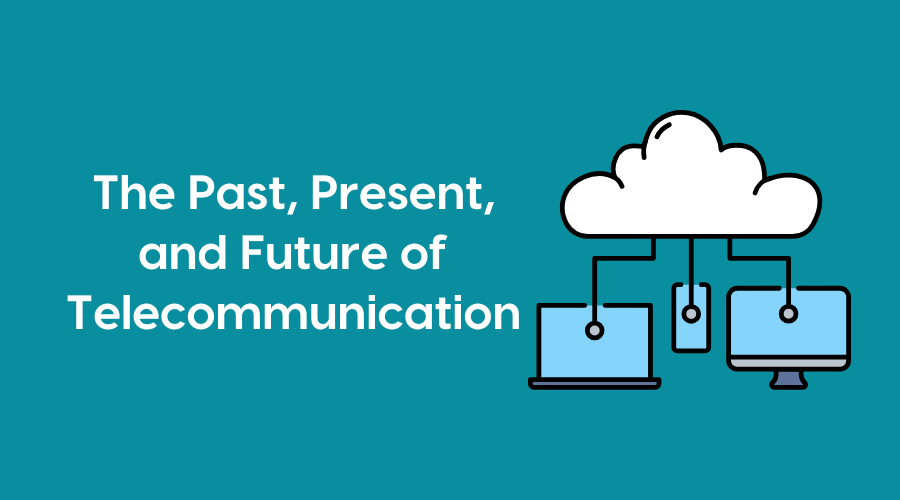
How did we go from “old-school phones” to the apps and digital systems we use today, and what will communication be like in the near future? Essentially, voice calls turned into data.
In the past, a phone call was like a physical pipe: once you picked up the phone, a dedicated electrical circuit was created between you and the other person. This was called “Tip & Ring” (referring to the physical wires).
We experienced a big shift and went from wires to packets. Today, voice is just another type of data, like an email or a Netflix video. We call this VoIP (Voice over IP). Your voice is chopped into tiny digital “envelopes” (packets), sent over the internet, and reassembled on the other end. Because voice is now just “data,” your phone system isn’t a box in a closet anymore—it’s an app on your computer or a service in the cloud.
To understand modern calling, you have to realize that every call is actually two separate jobs happening at once: signaling and media. Signaling rings the phone, checks if the person is busy, and “introduces” the two devices. Media RTP (Real-time Transport Protocol), carries the actual sound of your voice (audio and video media) back and forth.
H.323 and SIP (Session Initiation Protocol) are the two main “languages” (protocols) that phones use to talk to each other. H.323 was the first major standard for video conferencing and office web-phones. Nowadays, H.323 is losing favor because it’s considered “heavy” – it has many rules and moving parts, which makes it difficult to get through modern security firewalls. Plus, it’s complex to fix when it breaks. It’s mostly used today by hospitals and companies that bought expensive video equipment 10–15 years ago and are still using it.
However, SIP was built to work like the web. If H.323 is a formal legal contract, SIP is a text message. In contrast to H.323, SIP is considered to be “lightweight” and easy to read. Because it’s so simple, almost every device (Zoom, Teams, desk phones) speaks SIP. It’s the universal language of the modern office.
Telephony is no longer a separate thing you buy. It is now part of UCaaS (Unified Communications as a Service). This is another way of saying that your phone, chat, and video meetings are all one single cloud tool.
The future of telephony is already arriving. We are transitioning from the UCaaS era to move beyond simple calling and into “Agentic” communication. In the future, the platform will do much of the work for you. Even now, AI agents serve as assistants that can join calls, automatically take notes, assign tasks, suggest answers during live calls based on the caller’s mood (sentiment analysis), and provide real-time translation to erase language barriers.
Robust call center software available now can be deeply integrated with other systems to access data and provide a “crystal ball” view of who is calling and why before an agent answers. Instead of an operator asking, “How can I help you?” they can access data about the caller immediately to provide customized service: “I see you missed your doctor’s appointment; would you like me to reschedule that for you?”
We are currently limited to “boxes on a screen” (like Zoom or telehealth calls). The next step is moving from 2D video to XR (Extended Reality) holographic and immersive interactions. Using AR/VR (Augmented Reality/Virtual Reality) headsets or possibly holographic projectors, a call could feel like everyone is sitting around the same physical table, even if they are in different countries. Instead of “calling” someone, you “step into” a shared digital office.
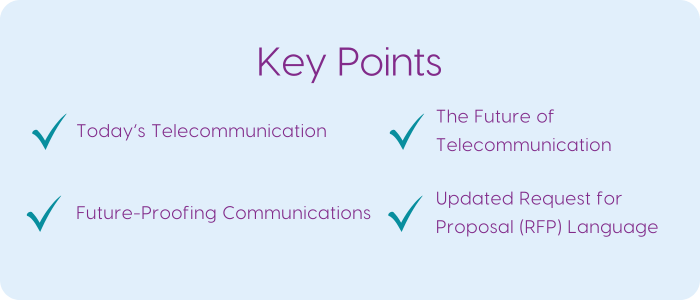
Future-proofing is no longer about buying the “best box” to sit in a closet; it’s about building a flexible digital foundation. For both general companies and high-stakes environments like hospitals, the goal is to ensure that when a new AI or software update comes out, you can “plug it in” rather than “ripping and replacing” your entire system.
Here are three tips to help you future-proof your communication systems:
Adopt an API-First Architecture
In the past, software was “closed” (it didn’t talk to other apps). Future-proof systems are “open.” Focus on purchasing software that has a robust API (Application Programming Interface). APIs are like universal power outlets. If you have an API-first phone system, you can easily connect new AI tools.
Move to Cloud-Native (Not just Cloud-Hosted)
There is a big difference between a legacy system “put on the internet” and one built for the cloud. Look for a microservices architecture. In older systems, if you wanted to update the voicemail part, the whole system had to go down. In a microservices system, small pieces (like adding a new AI feature) are instantly updated without any downtime.
Implement Zero-Trust Security
The outdated way of securing a building (a firewall or “fence” around the office) is obsolete because employees and doctors work from everywhere. It’s better to move to identity-based security. Instead of trusting a device because it is plugged into a wall at the hospital or office, the system verifies the person every single time they try to access a call or a record. This protects your organization against deepfake voice fraud and ensures that, as communication becomes more mobile, your data remains HIPAA-compliant.
When evaluating a new communication system, you want to differentiate between a vendor that is just selling “today’s features” and one that is building a “future-proof platform.” The example below of an updated RFP has been structured to be professional yet modern, focusing on the technical and strategic requirements you may need for the future. Please feel free to copy and paste this into a document and complete the bracketed information.
Request for Proposal (RFP): Unified Communications & Collaboration Platform
Date: [Insert Date]
Organization: [Insert Name of Company/Hospital]
Project Lead: [Insert Name]
1. Executive Summary
[Insert Company/Hospital Name] is seeking proposals from qualified vendors to provide a cloud-based, future-proof communication platform. Our goal is to move from legacy hardware to a Unified Communications as a Service (UCaaS) model that integrates voice, video, messaging, and AI-driven workflows.
2. Technical Requirements: Architecture and Integration
The following questions assess the flexibility and longevity of the proposed solution.
Architecture: Describe your platform’s underlying architecture. How do you ensure zero-downtime during software updates?
Standard Protocols: Does your platform support the SIP protocol for both signaling and media? Does it support WebRTC for browser-based, no-download calling?
API & Interoperability: Please provide documentation for your Public APIs. Detail how your platform integrates with third-party software (e.g., Microsoft 365 or specialized EHR systems like Epic/Cerner for healthcare).
Hardware Neutrality: Can the platform support open-standard (non-proprietary) hardware from third-party vendors?
3. Artificial Intelligence and Intelligent Automation
The following questions assess the platform’s ability to evolve into an “AI-First” environment.
AI Native vs. Third-Party: Is your AI functionality (transcription, summaries, sentiment analysis) built natively into the platform or provided via a third-party (e.g., OpenAI)?
Data Privacy: How is our organizational data protected during AI training?
Agentic Features: Describe your platform’s ability to trigger workflows. For example, can a call automatically trigger a code call?
Real-Time Features: Does the platform offer real-time sentiment analysis and live language translation?
4. Security, Compliance, and Reliability
This section is critical for all organizations, specifically for HIPAA/healthcare compliance.
Regulatory Compliance: Is the platform HIPAA, SOC2, GDPR, and/or Privacy Act 1988 compliant?
Healthcare Specifics: Will you sign a Business Associate Agreement (BAA)? Does the system support HL7 FHIR standards for medical data exchange?
Security Model: Does the platform support a Zero-Trust security framework? How do you handle Multi-Factor Authentication (MFA) and Single Sign-On (SSO)?
Uptime SLA: Provide your Service Level Agreement (SLA) for uptime. We require a minimum of 99.999% for critical voice services.
5. Mobile Functionality and “Mobile-First” Design
Assess the platform’s ability to support a high-performance mobile workforce without compromising features.
Native App Performance: Do you offer native iOS and Android applications?
Device Switching (Seamless Handoff): Does the platform support “one-touch” handoff? (e.g., Can a doctor start a consultation on a desktop and switch to a mobile tablet mid-call without disconnecting or re-dialing?)
Mobile Device Management (MDM): Is your app compatible with major MDM providers? Can data be wiped remotely if a device is lost or stolen?
6. Remote Work and Hybrid Connectivity
Assess the system’s reliability and security for remote employees.
Zero-Trust Network Access (ZTNA): Does your system require a traditional VPN for remote access? Do you support a “Zero-Trust” model in which users are verified by identity and device health rather than network location?
5G and Failover: Does the platform support seamless re-registration on 5G/LTE networks? If a home Wi-Fi connection fails, will the call automatically stay active by switching to cellular data?
Emergency Services (E911): How does the platform comply with RAY BAUM’S Act and Kari’s Law? Specifically, how do you track and report the “dispatchable location” of a remote worker or a mobile nurse in real-time?
Quality of Service (QoS) for Home Networks: Does the software include a “Jitter Buffer” or “Packet Loss Concealment” to ensure high-quality audio even on unpredictable residential internet connections?
7. Support & Scalability
Scalability: Describe the process for adding/removing users. Can this be done instantly via an admin portal?
Troubleshooting: Does your platform provide real-time analytics for call quality?
Deployment: What is the average timeline for an organization of our size to move from “Contract Signed” to “Fully Deployed”?
8. Submission Instructions
Please submit your proposal by [Insert Date]. Include a pricing breakdown for:
- Per-user monthly licensing.
- One-time implementation/onboarding fees.
- AI-specific add-on costs.
When you receive the proposals, don’t have everyone read the whole thing. Assign the Security section to your IT/Security lead, the Mobile/Remote section to your department heads, and the Cost section to Finance. This ensures that experts review the areas they understand best.